Overview
Tags are string identifiers that you can attach to spans. They’re useful for categorization and filtering:- Filter traces/spans in the UI (for example, “show all traces tagged
beta-feature”) - Group traces for aggregate analysis
- Mark traces for review (for example,
needs-review,regression)
1. Adding tags to a span when it is created
Sometimes you have context prior to running a function and you want to tag it at creation time. For example, you may want to tag a span with the model provider endpoint you use, or the test dataset used to run a request.Example: Tagging a manual span
This is a dynamic way to tag a span: decide which tags to apply at runtime when you create it.- TypeScript
- Python
Laminar.startSpan and Laminar.withSpan.startSpan / start_span call will have the tags—child spans don’t inherit tags automatically.
Example: Tagging an observed function
This is a static way to tag a span: the observed function will always have the same set of tags.- TypeScript
- Python
observe(options, fn, ...args).Example: Tagging any span from within its context
For adding span tags to work, you must call it inside a span context (for example, insideobserve() / an @observed function).
- TypeScript
- Python
Laminar.setSpanTags and observe(options, fn, ...args).2. Adding tags to a span once it is created
This is useful for incorporating user feedback into a trace for further analysis.2.1. Tagging in the Laminar UI
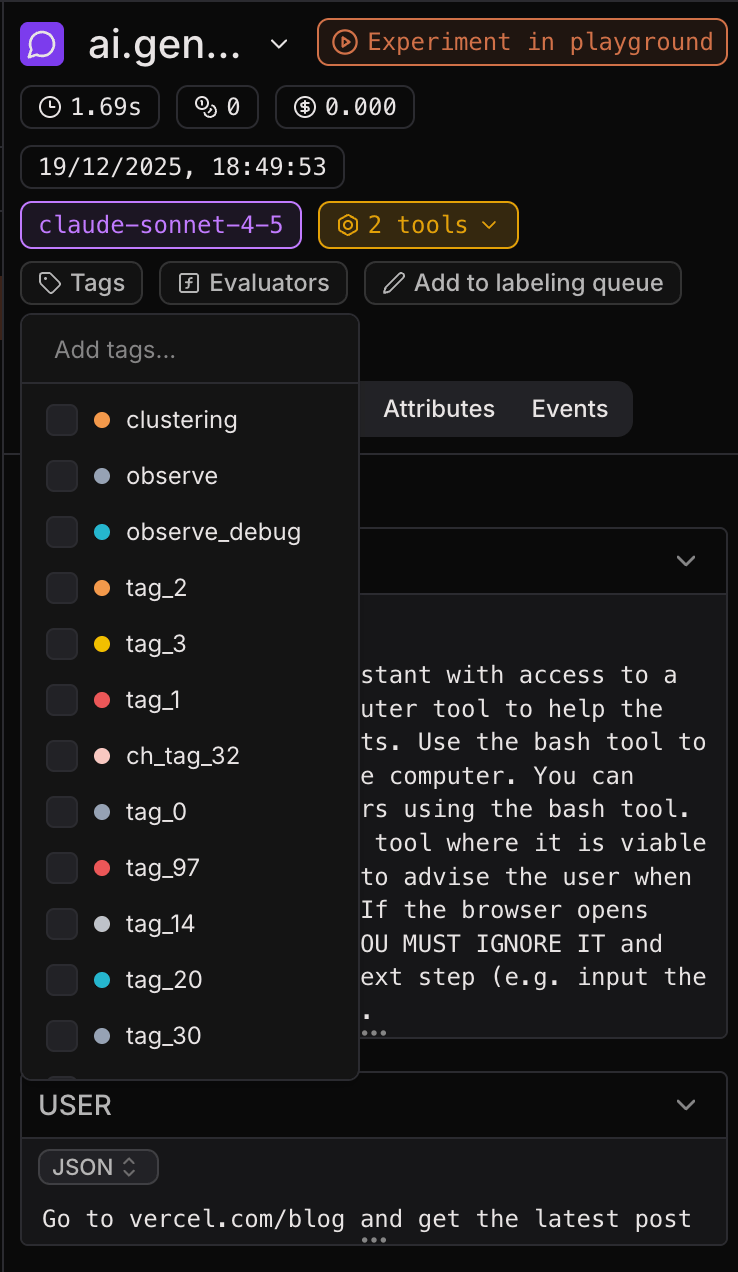
Once you’ve created and sent a trace to Laminar, you can add tags to spans in the Laminar UI.- Open a trace (in Traces) or a span (in Spans).
- Select the span you want to tag.
- Click Add tags, then select existing tags (or create a new one).
2.2. Tagging in the Laminar SDK
You can also add tags to a completed trace in the Laminar SDK usingLaminarClient.tags.tag. This adds tags to the top-level (root) span of the trace.
- TypeScript
- Python
client.tags.tag(traceId, tags).Laminar.getTraceId() / Laminar.get_trace_id() inside a span context. Outside, it returns null / None.
Viewing tags
The tags will be visible in the Laminar UI, shown on each span as shields.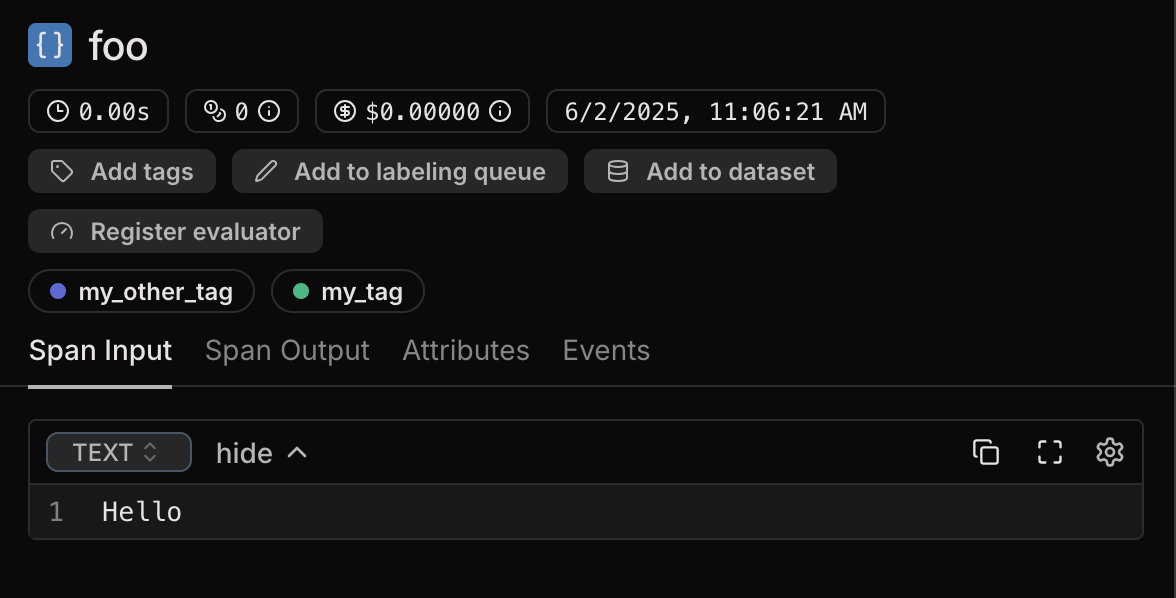
Filtering by span tags
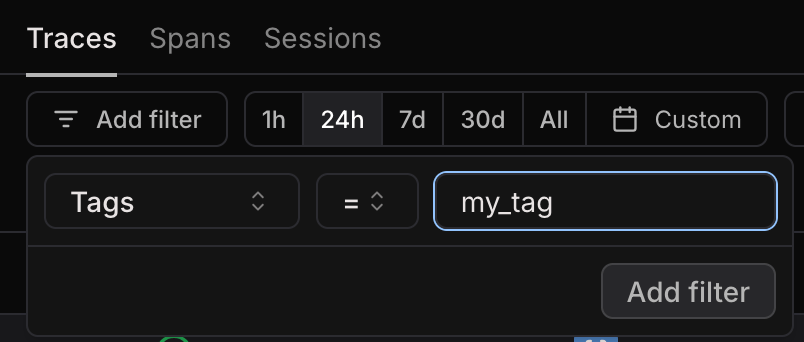
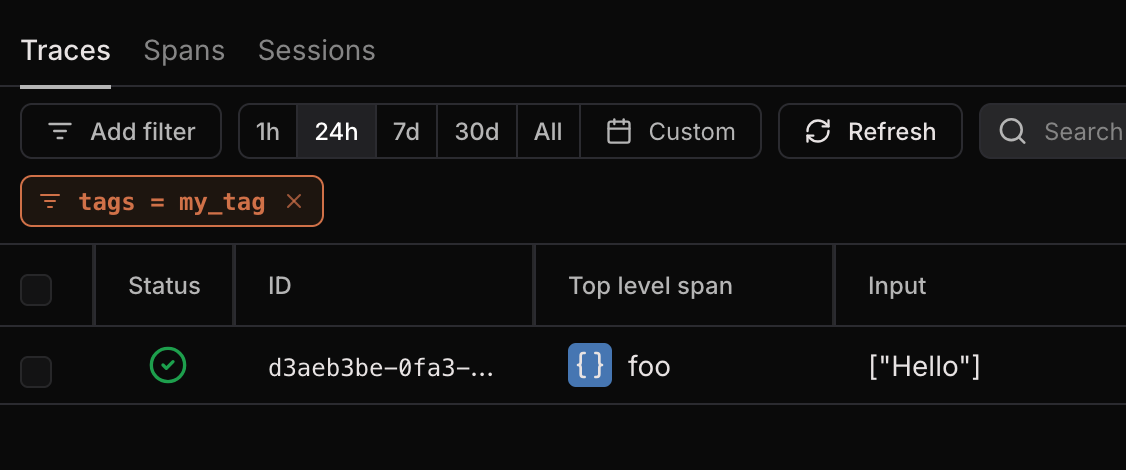
In the Traces view and the Spans view, you can filter by span tags. Simply add a “Tags” filter and type the name of the tag you want to include.